Everything you get with one free Passport
Sign up once and use every app with the same account. For each product below: what it does, who it’s for, what it costs today and how to start. Prices are in US dollars and paid in HYPEC; today 1 HYPEC = $0.01.
How paying works
Every app uses the same checkout: you pay in HYPEC from your Passport wallet. Not enough? Add HYPEC by sending USDT on BNB Smart Chain or TRON.
Invite friends, earn HYPEC
The green “Earns you” pill on a product is your share when a friend you invite buys it. You get a smaller share when their friends buy, three steps deep. Paid in HYPEC after 14 days, released over 90 days. How inviting works
Start from what you want to do
Train your own AI, then call it from any app or AI agent.
HyperAI is where you train, keep and run your own AI. Training runs on members’ graphics cards, paid by the second from your HyperAI credit, and your app can have pictures read on HyperCluster’s own AI chips.
What you can do
- Train a model on a member’s graphics card with a ready-made recipe: YOLO (find things in photos), PyTorch, TensorFlow, or fine-tuning a chat model.
- Keep your models encrypted until you delete them: save one from a training job, or upload ONNX, PyTorch .pt or a chat model’s LoRA adapter. The first 1 GB is free.
- Try a model in your browser: see boxes drawn around what it finds in a photo, or chat with the chat model you fine-tuned.
- Use your models from your own app with an API key, or from AI agents such as Claude Code and Cursor, through MCP.
- Send pictures to HyperCluster’s own AI chips: they find things in them, say what they show, read English and Chinese text and count faces.
Who it’s for
Developers, schools and small businesses that want an AI of their own. HyperAI is not a general chatbot: the only chat is with a chat model you fine-tuned yourself.
How to start
- 1Sign inOpen HyperAI (ai.hypercluster.org) with your free Passport.
- 2Add creditUnder Credit, pick a pack and pay in HYPEC at the Passport checkout.
- 3Train, keep, useStart a job under Train, keep models under My models, and make an API key under Use it in your app.

HyperAI
Train, keep and run your own AIYou also get 2 HYPEC free every day for trying your models in your browser. Training, and calls from your app or AI agent, are paid from your credit. Credit you don’t use stays.
Train and run your own AI, without buying a graphics card.
Train an AI on a member’s graphics card instead of buying one: upload your pictures or data, pick a recipe, and pay by the second from your HyperAI credit. Then keep it, try it and run it from your own app.
What you can do
- Ready-made recipes: YOLO (find things in photos), PyTorch, TensorFlow and fine-tuning a chat model, or bring your own.
- Set a time and cost limit for each job: it stops there, and you pay only for the seconds it used.
- Follow its log as it runs, then download what it made within 7 days, or save the model to keep it.
- Try the model on a photo in your browser, then use it from your own app or an AI agent.
Who it’s for
Schools and teachers (AI lessons where every student trains a real model), students and makers, and small businesses: read number plates, count stock on a shelf or read receipts.
How to start
- 1Add creditSign in to HyperAI with your Passport and top up under Credit.
- 2Start a jobUnder Train, pick a recipe, upload your data and set the limits.
- 3Keep and use itSave the result under My models, try it, and call it from your app.
Good to know

Train and run your own AI
On a member’s graphics card, paid by the second| Graphics card | $ an hour | HYPEC an hour |
|---|---|---|
| RTX 3060 · 12 GB | $0.068 | 6.8 |
| RTX 4070 · 12 GB | $0.143 | 14.3 |
| RTX 3090 · 24 GB | $0.212 | 21.2 |
| RTX 4090 · 24 GB | $0.489 | 48.9 |
| A100 PCIE · 40 GB | $0.585 | 58.5 |
| RTX 5090 · 32 GB | $0.660 | 66.0 |
Each graphics card has its own price an hour, set by HyperCluster from what the same card rents for elsewhere.
Your files, kept safe by the community.
HyperCloud keeps your photos, files and notes online, so you can open them on any phone or computer. Every Passport comes with 1 GB free.
What you can do
- Upload photos and files, up to 100 MB each and 10 at a time, and open them in any web browser.
- Write notes next to your files.
- Share a file or folder with a link, and stop sharing whenever you like.
- Get a deleted file back within 30 days: write to [email protected].
- Encrypted copies are kept on HyperCluster’s own IPFS network: its main server in Singapore, and members’ machines across the network.
Who it’s for
Anyone who wants their photos and files safe online: one person, or a family or small team with Max’s 2 TB.
How to start
- 1Sign inOpen HyperCloud (cloud.hypercluster.org) with your Passport: 1 GB is free.
- 2Pick more spaceUnder Storage plan, choose Plus, Pro or Max, by the month or the year, paid in HYPEC.
- 3UploadDrag files in. A plan renews by itself until you switch renewal off.
Good to know

HyperCloud
Your files, kept by the communityEvery Passport comes with 1 GB free. A bigger plan starts straight away; a smaller one starts when your current plan ends.
Prove your certificates and documents are real, for good.
HyperCV lets schools and companies seal the documents they issue. Anyone can then check, free and in seconds, that a document is the one they sealed, unchanged, and when it was sealed.
What you can do
- Seal a document of up to 3 files for 1 credit: its fingerprint and the time are written to chain 838838, so any change to it shows.
- Share a check link or QR code: anyone can check it for free, without an account.
- Seal many documents at once, and issue credentials, such as proof of study, work or membership.
- People who receive a document or credential keep it, and can share it with a link that lasts 7, 30 or 90 days, or doesn’t stop.
- The encrypted copy of the file is kept for 10 years, and 10 more for 1 credit.
Who it’s for
Verified organisations that issue certificates, diplomas or letters, such as schools, training centres and companies; the people who receive them; and anyone who needs to check one.
How to start
- 1Sign inOpen HyperCV (notary.hypercluster.org) with your Passport. A new account gets 3 free credits.
- 2Verify your organisationUnder Verify your business, once and for free: only verified organisations can seal.
- 3Seal and shareSeal under My documents, buy more under Credits, and send the link or QR code.
Good to know

HyperCV
Prove your certificates and documents are realSealing is for verified organisations: verify yours in HyperCV first (it’s free). Checking a document is always free. Credits don’t run out.
A small machine at home that earns rewards.
A Quipu machine is a small computer for your home, shipped to you ready to work. It keeps encrypted copies of the network’s files and earns HYPEC for the storage it keeps and proves.
What you can do
- Plug in power and the internet: it sets itself up and shows in your Passport under Devices.
- Earn HYPEC for the storage it keeps and proves, counted every day and recorded on chain 838838.
- Full Node models also keep a full copy of HyperCluster’s blockchain.
- See what it earns in your Passport, under Earnings.
Who it’s for
Members who want to earn for the network without leaving their own PC on. Have a PC with an NVIDIA RTX 3060 or newer (8 GB or more)? You can share it instead, for free.
How to start
- 1ChoosePick a machine on the Quipu page and give your shipping address.
- 2Pay in HYPECFrom your Passport wallet, at the checkout.
- 3Plug it inWe set it up and ship it within 3 to 5 working days. It shows in your Passport under Devices.
Good to know
Terms and privacy for Quipu machines and sharing them with the network.
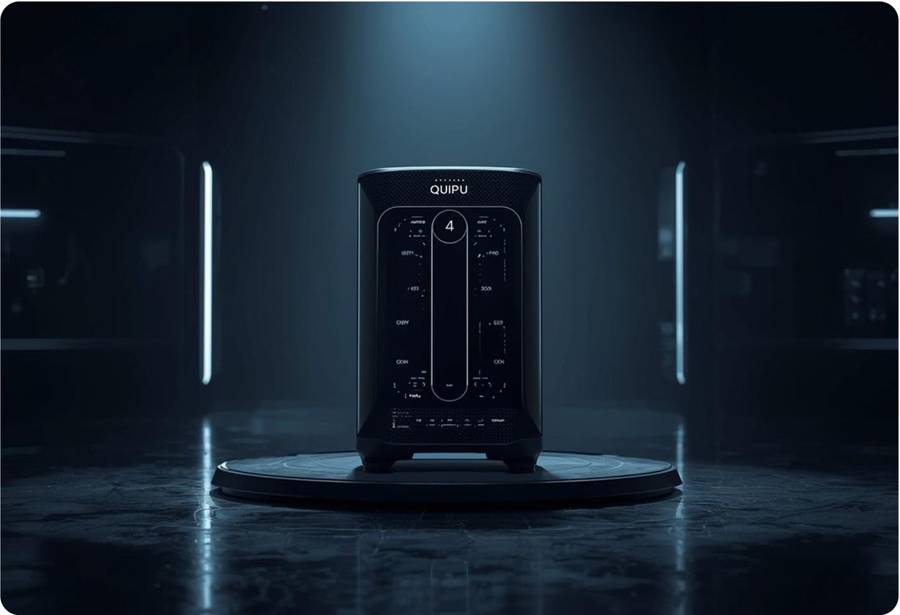
Quipu machines
A small machine at home that earns rewards




HYPEC: the coin the community runs on.
HYPEC is HyperCluster’s own coin, on chain 838838. Every product here is priced in US dollars and paid in HYPEC, and what members earn is paid in HYPEC too.
What you can do
- Add HYPEC by sending USDT on BNB Smart Chain or TRON, from $10 to $10,000 at a time. HyperCluster takes no fee; the network fee for sending USDT is yours.
- Pay for any product at the Passport checkout, in one tap.
- Lock some for 3, 6, 9 or 12 months, and every product costs you less while it is locked.
- Send it to any wallet on chain 838838 in seconds.
- Receive your invite rewards and your machines’ earnings in it.
Who it’s for
Everyone who buys or earns on HyperCluster.
How to start
- 1Open your walletIn your Passport, under Wallet, choose Add HYPEC.
- 2Send USDTSend exactly the amount shown, on the network shown, within 60 minutes.
- 3Get HYPECOnce the transfer is confirmed, HYPEC arrives in your Passport wallet at that moment’s price.
Good to know

HYPEC
Our coin. Pay with it, and lock some to pay lessLearn crypto in plain words, free.
HyperAcademy has short courses in plain words on blockchain, crypto and HyperCluster itself. They’re free: pass the quick checks and you get a certificate anyone can check.
What you can do
- Learn at your own pace, in short lessons: stop and come back any time.
- Answer quick checks as you go.
- Get a certificate in your Passport, recorded on chain 838838 to your Passport wallet, with a page and a check link you can share.
Who it’s for
Anyone new to blockchain and crypto, and members who want to understand how HyperCluster works and how to build on it.
How to start
- 1Pick a courseOpen HyperAcademy (academy.hypercluster.org) and choose one.
- 2Sign inWith your Passport. New here? You’ll create a free one first.
- 3Get your certificateFinish the lessons and checks, then share it with a link.
HyperAcademy
New to crypto? Start here, freeOne free Passport opens all of them
Create it in a minute. HyperAcademy and 1 GB of HyperCloud are free; for the rest, you pay in HYPEC only for what you choose.